3 HOW to Use OLIVE
We have now established why OLIVE is needed and what OLIVE is – in this section we will cover how to use OLIVE.
Fundamentals
Before diving deeper into the various concepts, it is important to understand what Connectivity is in the context of OLIVE and what connections are.
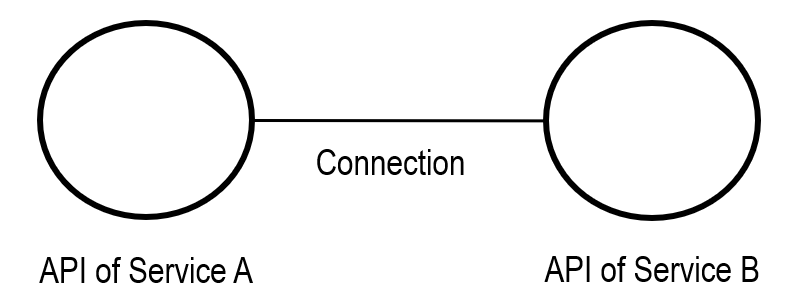
Fundamentally, OLIVE Connectivity is about connecting different services.
It is not about the development and implementation of a new service – instead, it is about connecting a service after it is already created and deployed.
By creating connections and combining them with other connectors, parameterization, and orchestration, it becomes possible to:
- Build new solutions
- Unlock diverse use cases
- Develop entire applications – all powered by existing services
It is important to understand this distinction: With OLIVE you do not implement code – you create models to connect existing services.
This does not mean that OLIVE Connectivity is functionally closed. In cases where the available connectors and orchestration options are not sufficient, the framework provides a defined extension mechanism. Custom logic can be implemented externally by creating a dedicated caller service, which is then registered and used like any other service within OLIVE. From the perspective of OLIVE itself, no code is implemented; the custom logic remains encapsulated in the external service. This extension mechanism is described in detail in How to Extend The Modelling Language.
High-Level Notation
The high-level notation uses simple symbols to describe connectivity scenarios. These symbols are used in this documentation to provide a high level depiction of the connectivity.

- Circle = Datapoint
A Datapoint provides access to data through an API.
Example: An API that retrieves a regulation document can be represented as a Datapoint. - Single line between two Datapoints = Connection without data exchange
This represents a simple link between services, without passing data.
Example: An HTTP link from ADONIS to Microsoft Teams. - Single line with a black dot in the middle = Connection with data exchange
This represents data flow and transformation between services.
Example: A document is fetched from the first Datapoint, transformed from JSON to Excel, and then stored through the second Datapoint in a new location.
Getting Started with OLIVE – Training Overview
To use OLIVE effectively, you need to understand its concepts and learn how to apply the available tools in order to successfully develop and deploy connectivity solutions.
This requires:
- Learning the core concepts and tools
- Accessing the development environment
- Accessing an operational cloud where OLIVE will deploy the solution
What You Will Learn
Over the course of this training, you will learn:
- Connectivity Engineering – the foundational concepts and practices behind OLIVE
- How to start (Hello World) – a hands-on introduction to developing with OLIVE
- How to develop connectivity – following proven patterns and methods
- How to integrate AI into existing applications – for example, by creating an ADONIS chatbot
- How to orchestrate connectivity – managing and coordinating multiple services
- How to customize and parameterize connectivity – enabling reuse and flexibility
- How to package a use case solution – making solutions portable and deployable
- How to extend the modelling language – when core functionality needs to be enhanced