4.4 How to Orchestrate Connectivity
In this chapter, we explore the concept of orchestrating connectivity. The goal is to understand how to combine and structure multiple connectivity steps so that they form a meaningful, automated workflow.
Example Scenario
The example chosen for this walkthrough is connecting to a CMDB system (such as AWS) and using its contents to create an ADOIT model. This concrete case illustrates how data from an external system can be transformed and integrated into ADOIT.
What We Learn
-
Understanding orchestration
- Learn how different connectable elements can be linked together in a structured sequence.
- Recognize the workflow perspective of connectivity rather than isolated calls.
-
Connector vs. Tool Application
- Gain insight into what logic belongs inside the connector (e.g., orchestration, sequencing, dependencies).
- Differentiate what can or should be realized in the tool application itself (e.g., pre-processing, post-processing, or handling tasks during connectivity).
-
Workflow of Orchestrated Connectivity
- Learn to design a process that manages multiple steps: fetching data, transforming it, and storing or using it in a target system.
- Build the foundation for scalable and reusable connectivity scenarios.
User Story
The user story driving this scenario is the import of AWS resources from a CMDB into ADOIT. This integration ensures that information from the live IT infrastructure is continuously available in ADOIT, without requiring manual modeling of every single element.
Goal
The primary goal of this connectivity is to synchronize ADOIT with real infrastructure. By doing so, we achieve the following benefits:
- Reduced manual modeling effort – models are generated automatically from existing CMDB data.
- Consistency and accuracy – information in ADOIT reflects the actual state of the infrastructure.
- Improved efficiency – updates and changes in AWS can be quickly reflected in ADOIT.
High-Level Connectivity
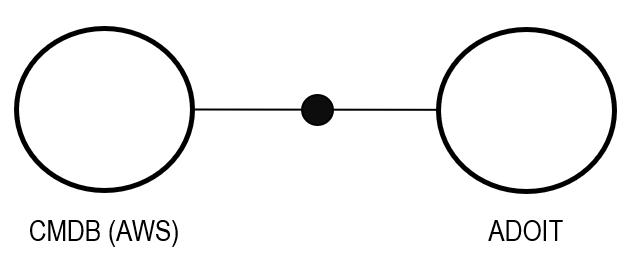
At a conceptual level, the connectivity flow can be described in three layers:
- AWS CMDB – provides the raw infrastructure data (e.g., resources, instances, services).
- OLIVE – acts as the processing and orchestration layer, transforming and preparing the data.
- ADOIT – consumes the processed data and generates models representing the infrastructure.
Key Takeaway
This integration enables a live and automated bridge between AWS CMDB and ADOIT, powered by OLIVE orchestration.
Sketching the Idea: CMDB to ADOIT
When orchestrating connectivity between a CMDB (e.g., AWS) and ADOIT, it is important to start with the fundamentals before diving into technical details.
1. Use Case Definition
The foundation of any connectivity effort is a clear use case. Defining what the integration should achieve provides a guiding framework for all later steps. For example: import AWS resources from the CMDB into ADOIT to automate model generation.
2. Business Requirements
Connectivity should not exist for its own sake. It must be tied to business value. Questions to address here include:
- What value will this integration provide to the organization?
- Why does it matter to stakeholders and end users?
- How will it improve efficiency, consistency, or decision-making?
3. Stakeholder Alignment
Technical solutions only succeed when they are supported by all relevant parties. Stakeholder alignment ensures:
- Expectations are clear across business and IT teams.
- Everyone understands the goals and benefits.
- Potential blockers are addressed early.
Key Insight
Before building connectors or defining technical workflows, always start with the use case, business requirements, and stakeholder alignment. These steps anchor the orchestration effort and guarantee that the solution delivers real value.
General Flow
With the use case and requirements defined, the next step is to understand how the connectivity is executed between ADOIT, OLIVE, and AWS. The workflow consists of five main steps:

1. User Action in ADOIT
- The process begins when the user initiates the import by clicking “Import AWS Resources” in ADOIT.
- This serves as the trigger for the connectivity workflow.
2. Opening OLIVE
- ADOIT opens OLIVE’s micro frontend.
- Within this interface, the user can configure which AWS services or resources should be fetched.
3. AWS Call
-
OLIVE makes a request to AWS using:
- AWS Auth (for secure access)
- Datapoints (defining the API endpoints to query)
-
This step fetches the relevant AWS resources.
4. Broadcast to ADOIT
- Once OLIVE receives the AWS resource data, it broadcasts the data back to ADOIT using broadcast events.
5. ADOIT Import
- ADOIT consumes the broadcasted event.
- It then generates instances inside its repository, effectively synchronizing with AWS resources.
Key Insight
This flow demonstrates a user-driven orchestration: the user initiates the process in ADOIT, OLIVE performs the integration logic, and ADOIT finalizes by creating model instances.
From Flow to Connectors: CMDB to ADOIT
To realize the general connectivity flow in OLIVE, the process is broken down into two distinct connectors, rather than trying to handle everything inside a single connector.
1. Trigger Connector
- Starts in OLIVE’s micro frontend: activated by a user action in ADOIT (e.g.,
onButtonClick). - Fetches AWS resources from the CMDB via a Datapoint.
- Presents results for review: the user can inspect the retrieved AWS data before anything is imported into ADOIT (Human-in-the-Loop).
2. Broadcast Connector
- Runs only after user confirmation: ensures a human-in-the-loop validation step.
- Broadcasts the approved data back to ADOIT via broadcast events.
- ADOIT imports the data and creates the corresponding model instances.
Design Choice & Key Insight
-
The separation into two connectors keeps the design cleaner and modular.
-
It also highlights an important guideline:
- Human-in-the-loop interactions are never embedded inside a connector.
- Instead, they are modeled as triggers for a new connector, ensuring clarity and flexibility.
Design Technical Realization
After the simple hands-on example of orchestrating connectivity, we now move into a real-world use case: connecting ADOIT with AWS CMDB through OLIVE.
Instead of one large connector, we deliberately split the flow into two separate connectors. This separation makes the design cleaner and provides flexibility for human-in-the-loop scenarios, where user confirmation is part of the process.
Connector Design
1. Trigger Connector
- Starts in OLIVE’s micro frontend (
onButtonClick). - Fetches AWS resources from the CMDB via a datapoint.
- Presents the results for user review inside OLIVE.
- At this stage, no changes are made in ADOIT yet.
2. Broadcast Connector
- Runs only after the user explicitly confirms the import.
- Broadcasts the approved data back to ADOIT.
- ADOIT consumes the event and creates model instances based on the imported AWS resources.
🔑 Design principle: Human-in-the-loop interactions are never modeled inside a connector itself. Instead, they trigger a new connector. This keeps each connector clean, modular, and easier to test and maintain.
Prerequisites
Before implementing, we need to ensure a few technical and organizational prerequisites are in place.
On the ADOIT side:
- Ensure ADOIT has access to the OLIVE platform.
- The OLIVE extension plugin must be installed in ADOIT.
- ADOIT must be able to consume OLIVE broadcast events.
On the AWS CMDB side:
- An AWS CMDB datapoint must be available.
- Permissions must be configured to allow retrieval of AWS resource data.
- Authentication (e.g., AWS credentials) must be properly stored in OLIVE.
These prerequisites guarantee that when the connectors run, the data flow is authorized, secure, and technically possible.
Connectivity Steps
To implement the flow in OLIVE, we map the abstract workflow into datapoints, events, and connectors:
-
Define Trigger Events
onButtonFilterClick: User action to fetch AWS resources.onButtonImportClick: User action to confirm and trigger import into ADOIT.
-
Define AWS Access
- Authentication using AWS Auth configuration.
- A datapoint configured to query AWS CMDB resources.
-
Define API Datapoint
- An HTTP datapoint that retrieves the resource information.
- Visualization of the results inside OLIVE for user review.
-
Define Event for ADOIT
createObjectevent, consumable by ADOIT, to instantiate model elements in the repository.
-
Configure Connection
- Step 1: On filter click → call AWS Datapoint → visualize the retrieved data.
- Step 2: On import click → broadcast approved data → ADOIT imports objects and generates model instances.
Why Two Connectors?
Splitting the process into two connectors instead of one large one offers clear benefits:
- Clean separation of concerns: The first connector only fetches and presents data, while the second handles the confirmed import.
- Supports human-in-the-loop workflows: Users stay in control of when the import happens.
- Better modularity: Each connector can be developed, tested, and reused independently.
With this design, we can fetch infrastructure data from AWS CMDB, give users the chance to review it, and then import it into ADOIT — all in a secure, controlled, and modular way.
Lessons Learned
From our orchestrated connectivity use case, several important lessons emerged:
-
Separation of responsibilities is key
- The OLIVE connector focuses on technical tasks: authentication, datapoint configuration, executing API calls, visualizing results, and broadcasting resource data.
- The tool application (ADOIT) handles the user-facing tasks: providing the trigger, opening OLIVE’s microfrontend, and consuming broadcast events to create model instances.
-
Human-in-the-loop interactions require clean separation
- Connectors should not try to handle review or confirmation steps directly. Instead, OLIVE pauses execution and hands back control to the application, which can then trigger a new connector if needed.
-
The workflow is simple but powerful
- User triggers import in ADOIT → OLIVE fetches AWS resources → results are reviewed → ADOIT consumes events and creates model instances.
-
Clear orchestration reduces complexity
- By splitting responsibilities between OLIVE and the application, the design remains modular, reusable, and easier to maintain.